Codeblocks
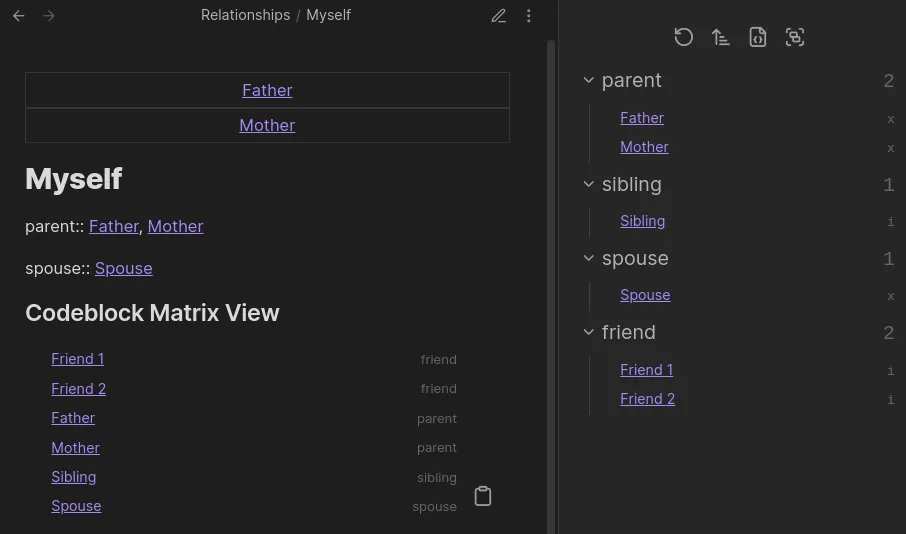
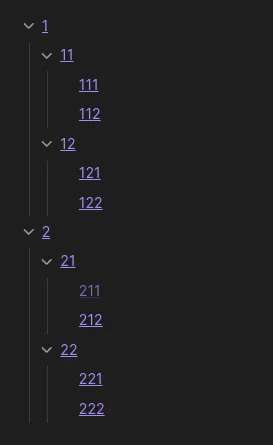
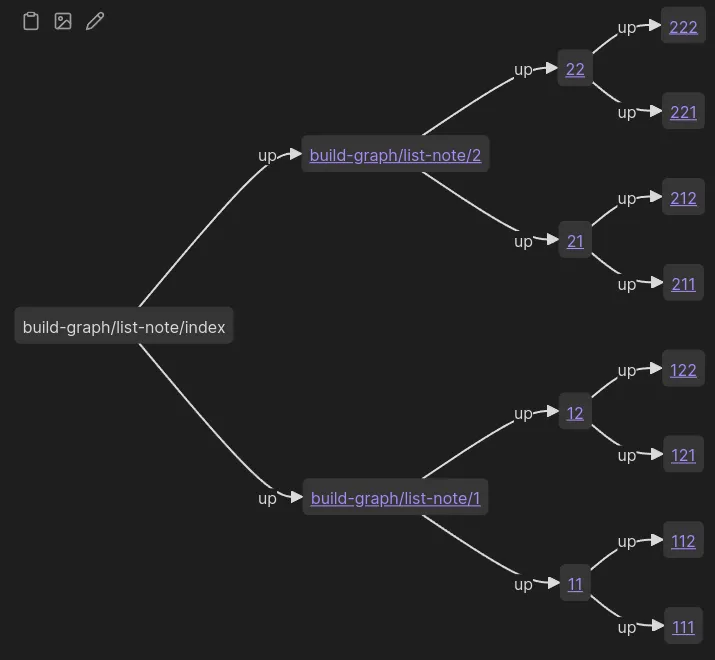
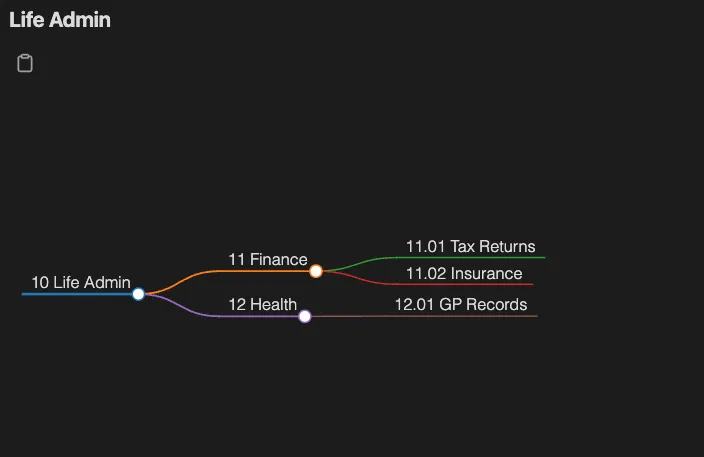
Breadcrumbs adds a new codeblock language, breadcrumbs. Currently, this can be used to render a tree of all paths in a given direction from the current note (similar to the Tree View), a Mermaid graph, or a Markmap mind map of the same data. The codeblocks use YAML, for example:
type: treefields: [down]depth: [0, 3]sort: basename ascThis would render a markdown list of all paths pointing down from the current note, up to a depth of 3, sorted by the basename of the notes, in ascending order.
Settings
Section titled “Settings”Change under Settings > Views > Codeblocks:
- Note Display Options: Three toggles — Folder, Extension, and Alias — that control how note links are displayed across all codeblock results.
Available Fields
Section titled “Available Fields”The following fields can be added to the codeblock to customise the output. Below the heading name for each field, you’ll see the possible values/options for that field, as well as it’s default value in (parentheses). Optional fields are marked with a ?. If you want to use the default value, then you don’t need to add that field to the codeblock.
type?: (tree) | mermaid | markmapHow to visualise the results.
treeis similar to the Tree Viewmermaidrenders the results in a Mermaid graphmarkmaprenders the results as an interactive Markmap mind map
Mermaid Binary Tree
Markmap
start-note
Section titled “start-note”start-note?: stringOverride the starting note of the traversal. By default, the note that the codeblock is in will be used.
Example: start-note: folder/note.md
fields
Section titled “fields”fields?: string[]Filter edges by a list of your edge fields. By default, all of your edge fields will be used.
Example: fields: [up, same]
field-groups
Section titled “field-groups”field-groups?: string[]Similar to the fields property, but you can select multiple field groups instead of individual fields. By default, all fields (and therefore all groups) will be used.
Example: field-groups: [ups, downs]
merge-fields
Section titled “merge-fields”merge-fields?: (true) | falseIf false, each of the chosen fields is traversed separately. If merge-fields is set to true, all fields will be traversed together, meaning paths of edges with different fields will be shown together.
Example: merge-fields: true
Consider the following graph:
graph LR
    A -->|down| B
    B -->|child| C
Starting from node A, and merge-fields: false, the result would just be:
- BBecause A doesn’t have any child edges leaving it, so only the down traversal has results. But with merge-fields: true, the result would be:
- B - CBecause the down and child edges are traversed together - paths with either field are shown.
title?: stringAdd a title above the codeblock.
Example: title: Breadcrumbs Codeblock
depth?: [number] | [number, number]Filter edges by a depth range. The min and max values are both inclusive.
Example:
depth: [0, 3]- show all paths 3 levels deep and shallowerdepth: [1, 3]- show all paths between 1 and 3 levels deepdepth: [3]- show all paths atleast 3 levels deep
By default, all depths are shown.
collapse
Section titled “collapse”collapse?: true | (false)If type: tree, and collapse: true, all nested lists will be collapsed/folded closed.
Example: collapse: true
flat?: true | (false)Flatten the tree results into a un-nested list.
Example: flat: true
from?: stringScope the codeblock to a set of notes using a FROM-style query. The Dataview plugin is not required — Breadcrumbs parses the query natively (supports #tag, "folder", [[link]], and AND / OR / NOT). For type: markmap it sets the root notes; for other types it filters the traversal.
Example: from: '#tag and !"Folder"'
show-attributes
Section titled “show-attributes”show-attributes?: EdgeAttribute[]Show specific edge attributes about each item in the result. By default, none are shown.
Example: show-attributes: [field, source]
sort?: <field> (asc) | descOrder the results using a given edge sorter.
Example: sort: basename, or sort: path desc, or sort: neighbour-field:next
mermaid-direction
Section titled “mermaid-direction”mermaid-direction?: LR | RL | TB | BTThe direction of the mermaid graph (if type: mermaid). Meaning:
LR: Left-to-rightRL: Right-to-leftTB: Top-to-bottomBT: Bottom-to-top
Example: mermaid-direction: TB
mermaid-renderer
Section titled “mermaid-renderer”mermaid-renderer?: (dagre) | elkThe renderer to use for the mermaid graph.
dagreis the default, and is more stable.elkis more experimental, but can handle larger graphs.
Example: mermaid-renderer: elk
mermaid-curve
Section titled “mermaid-curve”mermaid-curve?: | (basis) | bumpX | bumpY | cardinal | catmullRom | linear | monotoneX | monotoneY | natural | step | stepAfter | stepBeforeThe curve style to use for the mermaid graph.
Example: mermaid-curve: natural
mermaid-arrow
Section titled “mermaid-arrow”mermaid-arrow?: true | (false)Controls whether bidirectional edges in the mermaid graph are rendered with arrowheads on both ends. Only applies when type: mermaid.
By default (false), edges that run in both directions between two notes are drawn as plain lines — either solid (---) or dashed (-.-) depending on whether the edges are explicit or implied. No arrowheads appear on either end, which keeps the diagram cleaner when reciprocal relationships are already understood.
When set to true, those same bidirectional edges gain arrowheads on both ends (<---> for explicit, <.-> for implied), making the two-way nature of the relationship explicit in the diagram.
One-directional edges are unaffected — they always render as --> (explicit) or -.-> (implied) regardless of this setting.
Example: mermaid-arrow: true
Examples
Section titled “Examples”Simulate the Matrix View
Section titled “Simulate the Matrix View”You can show similar results to the Matrix View using the following codeblock:
type: tree# Only show the top-level edgesdepth: [0, 0]# Show the `field` attribute next to each edge itemshow-attributes: [field]# Sort the results by their field name, effectively "grouping" by fieldsort: field