Breadcrumbs
Welcome to the Breadcrumbs docs 🍞 Here you can find more detailed explanations of the various functions of the Obsidian Breadcrumbs plugin.
What’s New
Section titled “What’s New”| Date | Version | Change |
|---|---|---|
| 2026-08-03 | 4.21.10 | Fixed a CSS conflict that broke Excalidraw drawings |
| 2026-07-05 | 4.21.1 | Markmap codeblocks get a zoom/fit toolbar |
| 2026-06-29 | 4.20.0 | New Edge Audit Report command: find unused, mergeable, orphaned, and dangling edges |
| 2026-06-17 | 4.19.0 | Removed the type: graph codeblock; case-insensitive from; faster codeblock traversal |
| 2026-06-07 | 4.15.0 | Requires Obsidian 1.13; searchable, reorganised settings tab |
| 2026-06-03 | 4.14.1 | Tree View: notes with multiple parents now appear under each parent |
| 2026-06-02 | 4.14.0 | Dataview no longer required; native inline fields; self_is_sibling setting |
Use-cases
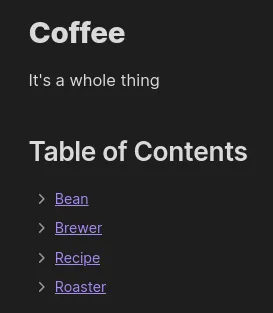
Section titled “Use-cases”Auto-generated Table of Contents
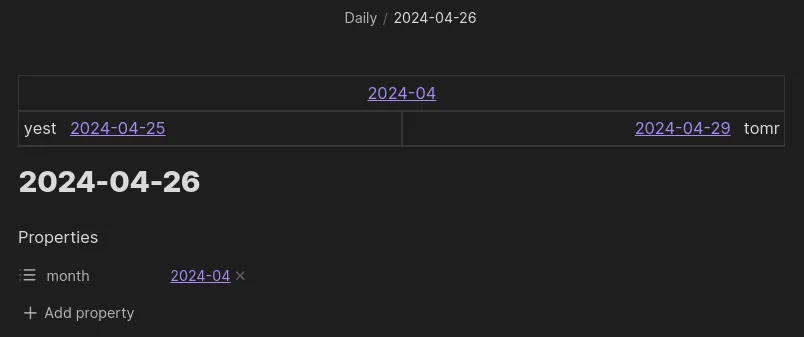
Speedy navigation between related notes
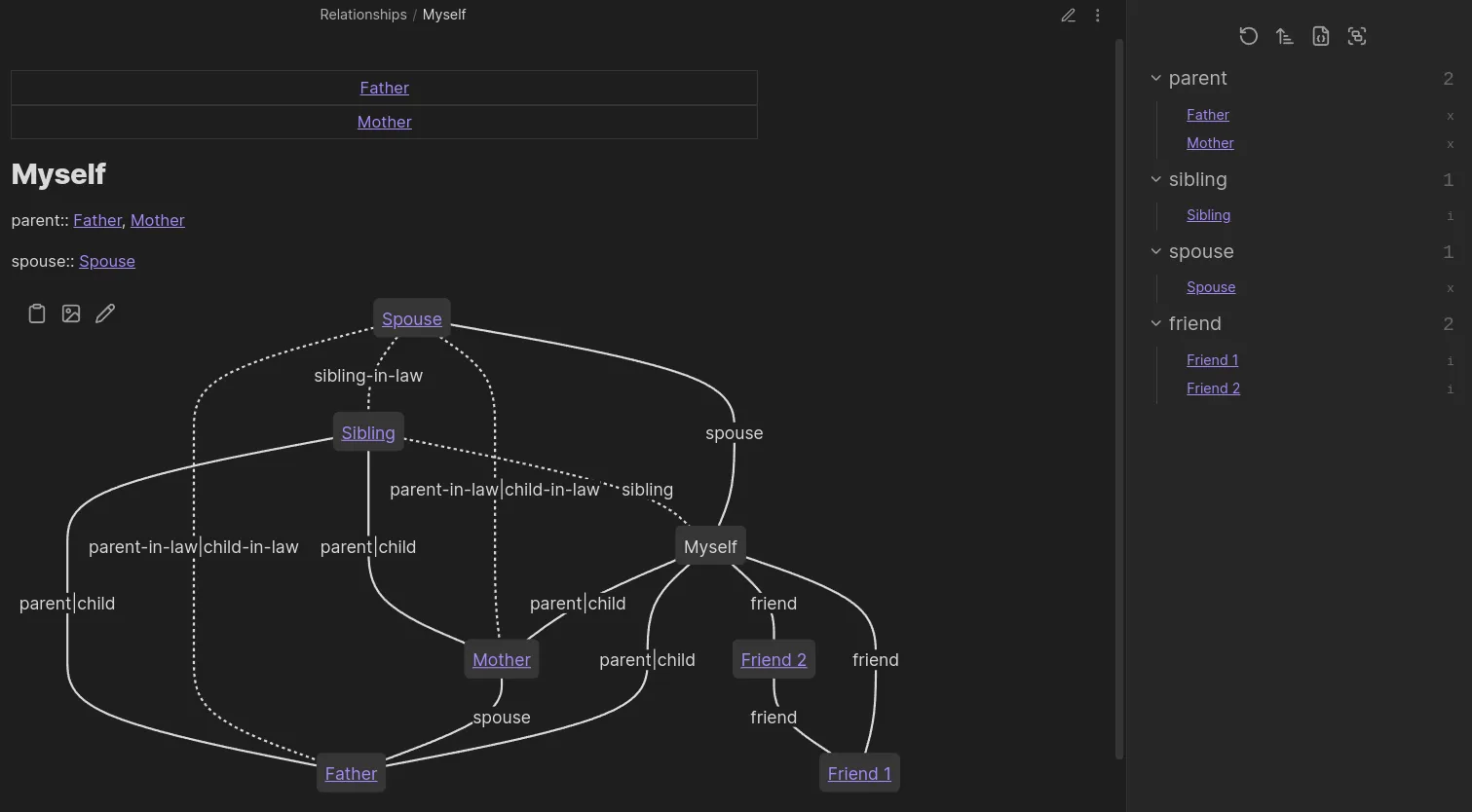
Visualise Complex Hierarchies
Quick Start
Section titled “Quick Start”To quickly see one way Breadcrumbs works, you can do the following:
- Install & enable Breadcrumbs
- Open a new note
- Add
up: [[note]]as a metadata Properties field- Dataview inline fields work too
up:: [[note]]
- Dataview inline fields work too
- Run the “Breadcrumbs: Rebuild Graph” command to refresh the Breadcrumbs graph
- Then run the “Breadcrumbs: Open Matrix View” command
- See how the Matrix View shows a link pointing “up” to
[[note]]
- See how the Matrix View shows a link pointing “up” to
In the terminology of Breadcrumbs, you’ve just used the “typed-link” edge builder to add an explicit edge from one note to another, using the up edge field.
Practical Value
Section titled “Practical Value”Breadcrumbs gives the following benefits:
- Automatic linking via Explicit Edge Builders and Implied Edge Builders
- Convenient navigation using the Views and some Commands
- Visualing paths of links, also using the Views
Overview
Section titled “Overview”- Setup your Edge Fields so that Breadcrumbs know metadata properties you use
- Breadcrumbs comes with 5 generic edge fields, but you can customise these as needed
- Add structure to your notes using the various Explicit Edge Builders
- Some builders are manual, while others can automatically use your existing structure (including your tags, folders, links, etc.)
- Fill in the gaps with the Implied Edge Builders
- Breadcrumbs can infer more complex relationships from the initial edges
- You have full control over the rules for adding implied edges
- Use the Views to see your fields in action
- These general run a graph traversal and present the results in some way
- Try out the Commands to do other useful stuff
- Quickly jump to neighbouring notes, summarise your graph, “freeze” implied edges to your notes for future-proofing