Banners and Page Views
Breadcrumbs Page Views — the Trail View and Previous-Next View — now coexist cleanly with banner plugins (such as Banners Reloaded). Earlier versions inserted Breadcrumbs’ DOM at the same anchor point as the banner, causing one or the other to render incorrectly. The next release resolves that conflict and respects both the Readable Line Width and Sticky options when a banner is present.
See the related fix in michaelpporter/breadcrumbs#687.
Readable Line Width on
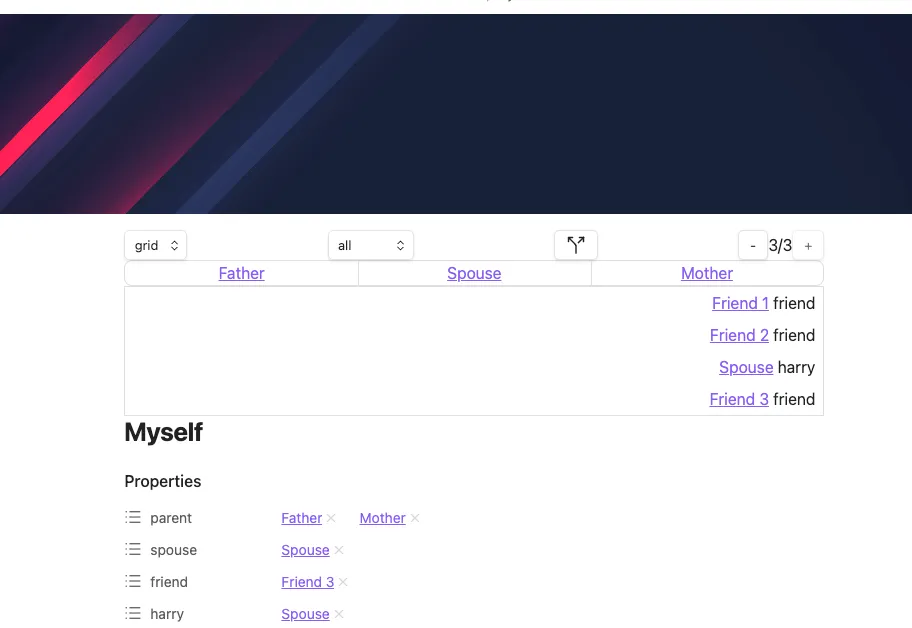
Section titled “Readable Line Width on”With Readable Line Width enabled, the Page Views are constrained to the same width as the note body and sit below the banner — aligned with the readable text column.
Readable Line Width off
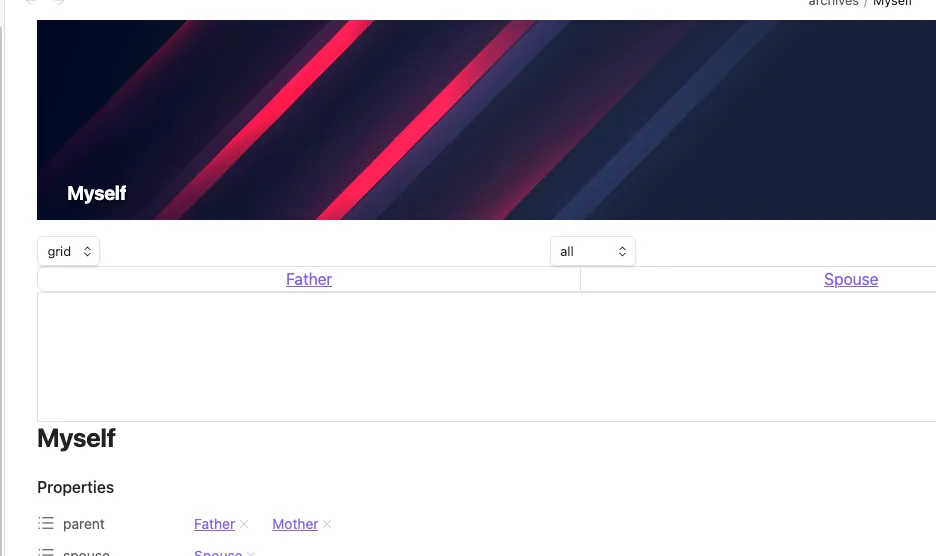
Section titled “Readable Line Width off”With Readable Line Width disabled, the Page Views span the full width of the editor pane while the banner continues to render full-bleed above them.
Sticky Page Views
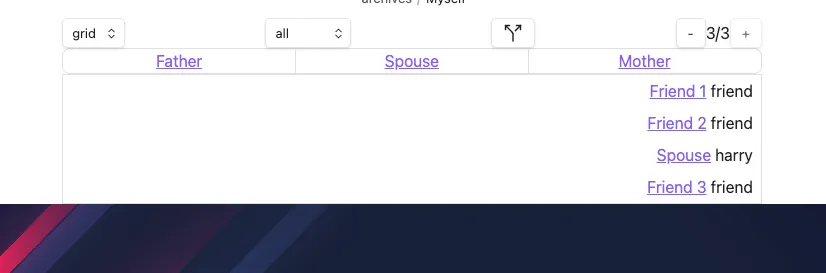
Section titled “Sticky Page Views”With Sticky enabled, the Page Views remain pinned at the top of the note as you scroll. The banner scrolls away normally and the breadcrumbs stay visible.
Related
Section titled “Related”- Page Views — settings reference for Readable Line Width and Sticky
- Trail View
- Previous-Next View